DarkHorse Wallet Update #06 | Stronger Security, Official Launch Coming Soon
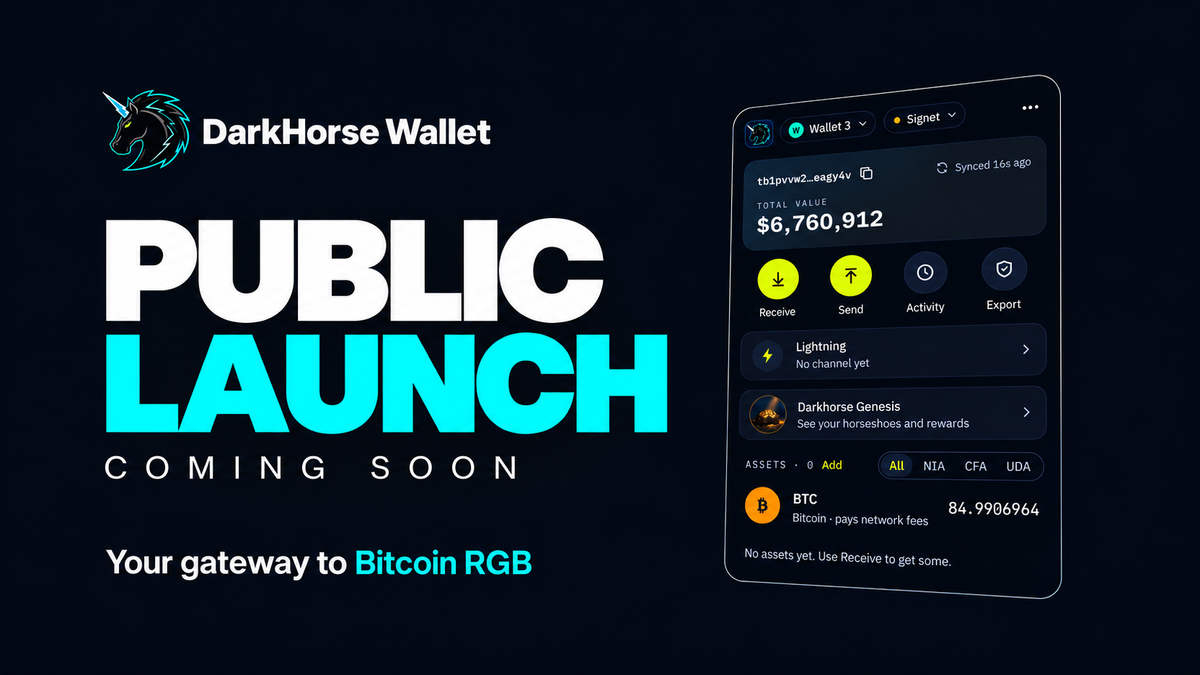
Your gateway to Bitcoin and the RGB ecosystem is almost here. DarkHorse Wallet is preparing for its official launch, and has been submitted to the Chrome Web Store for review.
This update focuses on security checks and usability improvements ahead of launch. All 39 security issues in the code review tracker have been resolved. We also fixed several issues affecting wallet switching and transfers, and added transaction acceleration and Lightning channel backups.
This update covers v0.24.1, v0.24.4, and v0.24.5. These changes are available in internal test builds. Lightning functionality remains limited to Signet.
1. Stronger Security to Keep Requests Separate Across Wallets
Website Requests Are Bound to the Wallet That Initiated Them
With multiple wallets, every authorization and payment request needs to be clearly associated with a specific wallet.
Website requests are now bound to the wallet that was active when they were initiated. Switching wallets terminates all pending requests, including any open confirmation windows, preventing another wallet from continuing the signing or payment process.
When creating a wallet, connection, signing, and payment requests from websites are also rejected until the user completes the recovery phrase verification. Importing the same recovery phrase more than once now triggers a warning and is blocked.
Check the Full Contract ID Before Paying
When a website requests an asset payment, the confirmation window now displays the full contract ID and indicates whether the asset is listed by DarkHorse.
If an unlisted asset shares the same name as a listed asset but has a different contract ID, the window displays a red warning asking the user to verify it. This helps users distinguish between assets that share a name but are actually different.
If an invoice that has already been paid is submitted again, the wallet explains that it has already been paid and asks the user to obtain a new invoice from the recipient. The only available action is to close the window.
More Careful Handling of Transaction Outputs
If the same recovery phrase is used in another wallet to initiate a transaction that has not yet been confirmed, DarkHorse Wallet temporarily avoids the affected outputs. If that transaction is dropped from the mempool and the affected outputs remain unspent, those outputs and the corresponding balance become available again.
This update also removes an unused browser permission and restricts asset issuance to test networks. The issuance entry point is no longer shown on mainnet.
2. Faster Wallet Switching and Transfers Between Your Own Wallets
Shorter Waits and a Fix for Imported Wallets Failing to Open
We fixed an issue where wallets imported through “Other Wallets” could fail to open after repeated switching between wallets.
Switching, creating, importing, and deleting wallets are now faster. Switching no longer waits for the new wallet to complete its first sync, and inactive wallets can be deleted directly without switching to them first.
Wallet names must now be unique. While a wallet is being switched or deleted, other actions in the list are temporarily disabled to prevent interference from repeated clicks.
v0.24.5 further improves switching feedback. A spinner and a “Switching…” message appear beside the selected wallet until its home screen opens.
In this round of testing with a slow indexer, the wait when switching again immediately after a previous switch dropped from over 20 seconds to under 4 seconds.
Transfer Between Your Own Wallets Without Being Blocked from Switching
After Wallet A initiates a transfer and is waiting for the recipient to accept it, users can now switch to Wallet B to receive the assets.
The home screen shows the deadline for switching back to Wallet A to complete the transfer.
If the user returns after that deadline, the transfer fails without any on-chain transfer taking place. The assets remain in Wallet A, and the user needs to initiate the transfer again.
3. Transaction Acceleration and Clearer Explanations of Sending Restrictions
Add a Fee to Help Pending Transfers Confirm
An “Accelerate” button is now available for eligible transfers awaiting confirmation.
The wallet uses the BTC change output from the transaction to pay an additional fee through a new transaction, helping the original transaction confirm alongside it. The additional fee is paid in BTC and does not spend any RGB assets.
The first click shows the additional fee in satoshis. The acceleration transaction is broadcast only after a second confirmation.
This feature is available only for transfers initiated using wallet version v0.24.3 or later. Earlier transactions do not have a separate BTC change output, so the wallet explains that they cannot be accelerated.
Understand Why Some Assets Are Not Yet Available to Send
During testing, the team found that when sending assets using an invoice without a specified amount, the page sometimes showed only “Max 0,” followed by an error on the next step saying the amount exceeded the available balance. This made the cause difficult to understand.
In v0.24.5, when the sendable amount is lower than the balance, the page directly explains why. Reasons include unconfirmed change from a previous transfer, a portion of the balance still awaiting confirmation, or assets reserved by unpaid invoices or incomplete transfers.
For invoices, the page displays the invoice number and expiration time, and users can cancel them directly from the send page. Once canceled, the reserved assets become available to send. Errors shown after clicking “Next” include the same explanation.
The insufficient-funds message for BTC transfers has also been improved. It now shows the total required amount, including the network fee, the currently spendable amount, and the shortfall in satoshis.
4. Lightning Backups for Channel Recovery in Another Browser
Lightning Backup (VSS) is now available under “Settings → Advanced” and is disabled by default.
When enabled, opening the wallet in another browser with the same recovery phrase displays a notice that its Lightning node is running in another browser.
After confirming that the original browser is no longer in use, users can take over and restore their channels from the backup. This takeover option is unavailable if Lightning Backup is disabled.
These features are currently available only in the Signet test environment.
5. Further Fixes for Export, Sync, and Interface Feedback
Private Keys Are Hidden by Default, and Wallet Creation Supports Going Back
v0.24.5 updates the private key export process.
After the password is entered, the private key remains blurred by default. Users must click the eye icon to reveal it, matching the recovery phrase display. Leaving the export page clears the content, and opening it again starts with the key hidden.
The recovery phrase page during wallet creation now also supports going back. After confirmation, the wallet deletes the newly created wallet and returns to the welcome screen or the previously active wallet.
Improved Indexer Failover and Retry Behavior
If an indexer rejects requests during synchronization, the wallet first retries with another indexer. If neither indexer is reachable, the retry interval gradually increases to 1, 2, 4, and then 8 minutes, reducing repeated requests during prolonged failures.
This update also refines several interface details. Authorization and unlock windows now appear in the upper-right corner of the browser window, error messages automatically scroll into view, and the send page provides a readable explanation when the output holding an asset has already been spent.
6. Expanded Website Integration Ahead of the Official Launch
The wallet now includes a general-purpose sendBitcoin method, allowing connected websites to request BTC payments from users. Every payment still requires confirmation in the wallet.
DarkHorse Wallet is preparing for its official launch, and the submission for Chrome Web Store review is complete. The team will continue following up on the review and internal testing feedback. Once the wallet officially launches, we will publish access links and instructions.